> For the complete documentation index, see [llms.txt](https://sonity.gitbook.io/docs/llms.txt). Markdown versions of documentation pages are available by appending `.md` to page URLs; this page is available as [Markdown](https://sonity.gitbook.io/docs/soundparameter/soundparameterintensity.md).
# SoundParameterIntensity
A parameter which can control multiple aspects of the sound through code
## SoundParameterIntensity
[SoundParameterIntensity](/docs/soundparameter/soundparameterintensity.md) is used to pass an intensity value to a [SoundContainer](/docs/soundcontainer.md) when playing a [SoundEvent](/docs/soundevent.md).\
This value can be anything you want to affect your sound, e.g. velocity, the size of an explosion, the speed of a car, etc.\
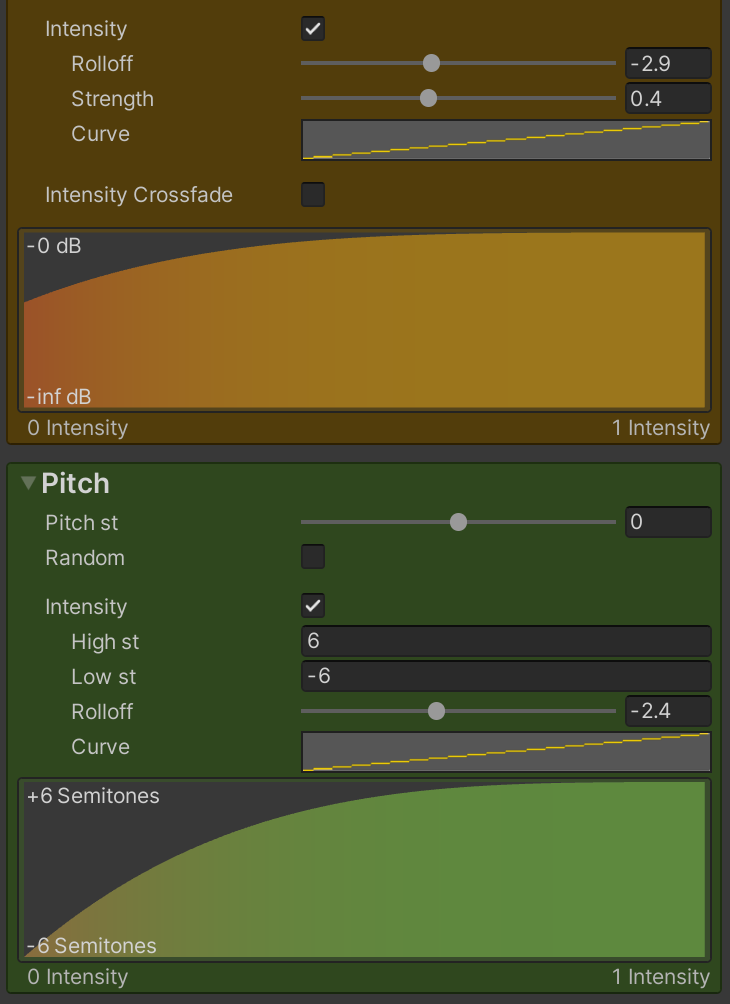
The [SoundContainer](/docs/soundcontainer.md) can scale and use the intensity parameter to control intensity options e.g. volume, pitch, distortion etc.
{% hint style="info" %}
❕ Tip: You can record and debug the intensity at the [Intensity](/docs/soundparameter/soundparameterintensity.md) in the [SoundEvent](/docs/soundevent.md).
{% endhint %}
### Oneshot Intensity - Physics Impacts
Example code:
```csharp
using UnityEngine;
using Sonity;
public class ExampleIntensityParameterCollision: MonoBehaviour {
public SoundEvent soundImpact;
private SoundParameterIntensity soundIntensityParameter = new SoundParameterIntensity(1f, UpdateMode.Once);
void OnCollisionEnter(Collision collision) {
// Sets the intensity parameter to the velocity of the collision
soundIntensityParameter.Intensity = collision.relativeVelocity.magnitude;
// Plays the SoundEvent with the intensity parameter
soundImpact.Play(transform, soundIntensityParameter);
}
}
```
#### **Physics Impact - SoundContainer**
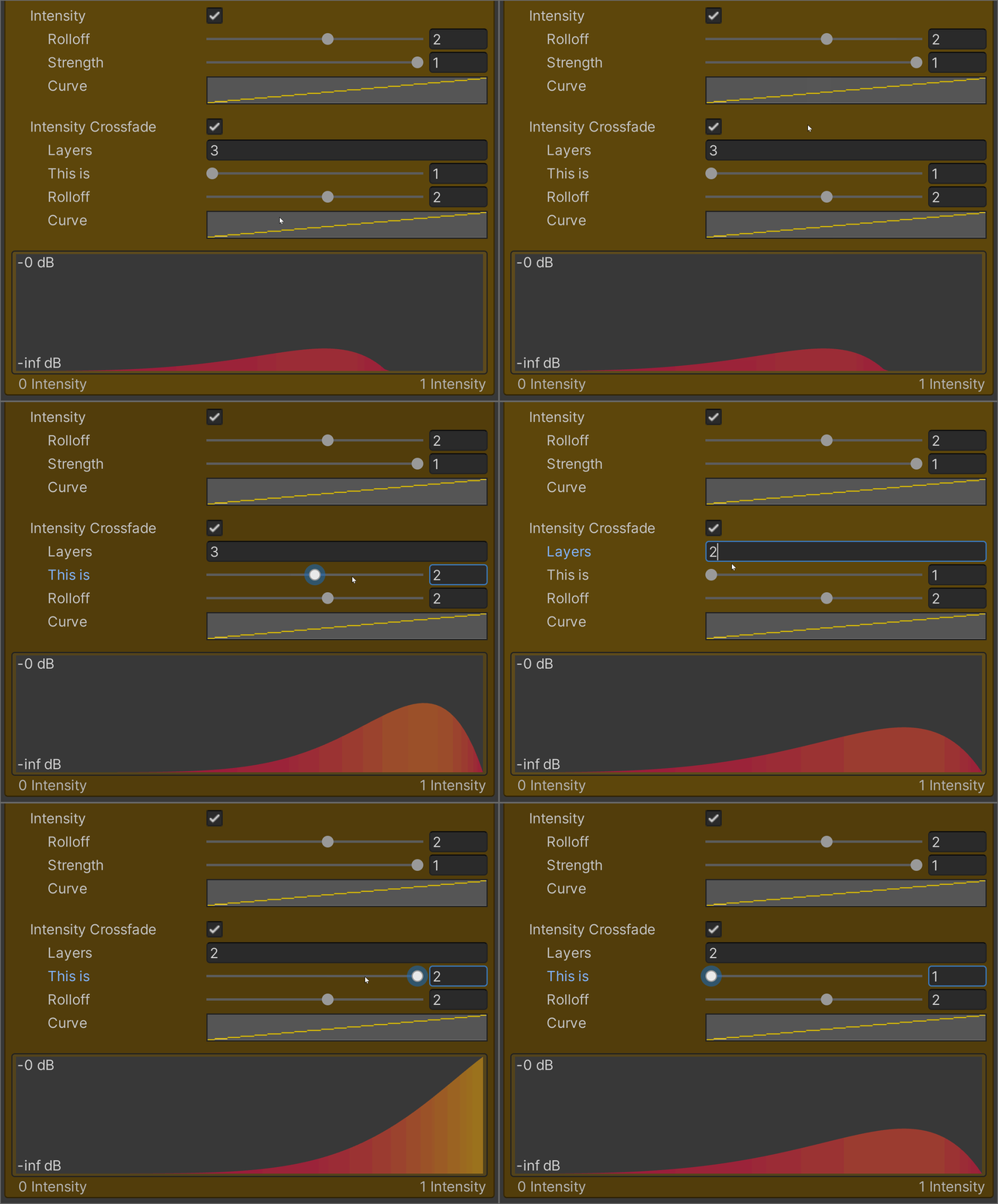
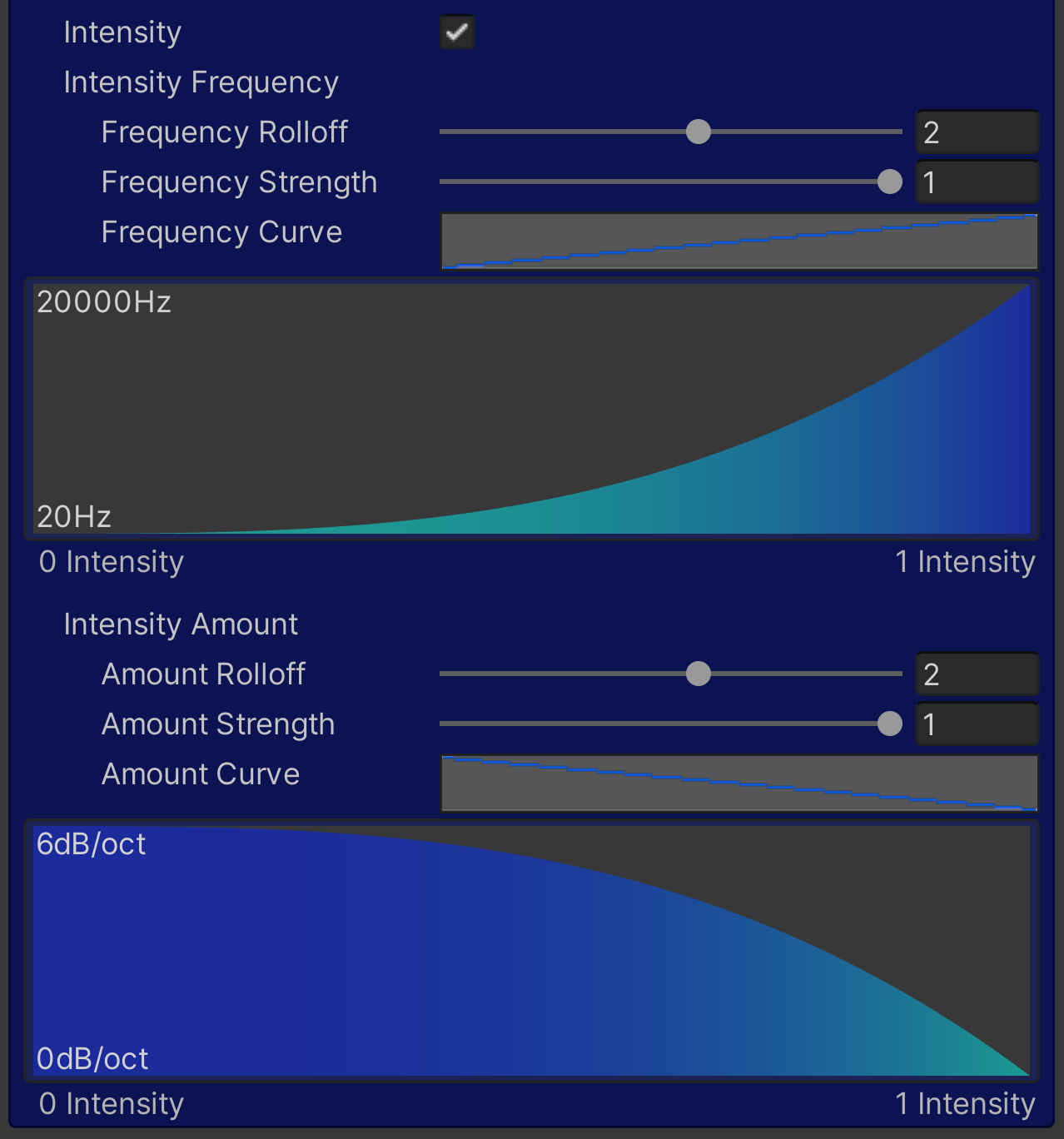
The velocity of the impact is passed once as an intensity parameter which controls the intensity volume and intensity lowpass filter of the [SoundContainer](/docs/soundcontainer.md).\
(Check out the [SoundPhysics](/docs/soundphysics.md) component for easily playing physics sounds)
For volume intensity you can crossfade between any number of layers (eg. hard/medium/soft) easily and accurately.
The default settings of the lowpass filter intensity settings make the sound more filtered the lower the intensity value is.\
E.g. 0 intensity is maximum filter effect and 1 intensity is unfiltered.
### Continuous Intensity - Car Engine
Example code:
```csharp
using UnityEngine;
using Sonity;
public class ExampleIntensityParameterContinuous: MonoBehaviour {
public SoundEvent soundCarLoop;
public bool soundCarIsPlaying = false;
private SoundParameterIntensity soundIntensityParameter = new SoundParameterIntensity(0f, UpdateMode.Continuous);
public Rigidbody carRigidbody;
void FixedUpdate() {
float velocity = carRigidbody.linearVelocity.magnitude;
// Sets the intensity parameter to the velocity of the car every physics update
intensityParameter.Intensity = velocity;
if (!soundCarIsPlaying && velocity > 0.01f) {
soundCarIsPlaying = true;
// Plays the SoundEvent with the intensity parameter
soundCarLoop.Play(transform, soundIntensityParameter);
} else if (soundCarIsPlaying && velocity <= 0.01f) {
soundCarIsPlaying = false;
soundCarLoop.Stop(transform);
}
}
}
```
#### **Car Engine - SoundContainer**
The speed of the car is passed as an continuous intensity parameter which controls the intensity pitch and volume of the [SoundContainer](https://docs.google.com/document/d/1w0XR7moiz718mc4O2G7rkR2CzU43B0bbH9fRRtfcvoU/edit#heading=h.o0ga11n34y22).