> For the complete documentation index, see [llms.txt](https://sonity.gitbook.io/docs/llms.txt). Markdown versions of documentation pages are available by appending `.md` to page URLs; this page is available as [Markdown](https://sonity.gitbook.io/docs/soundtrigger.md).
# SoundTrigger
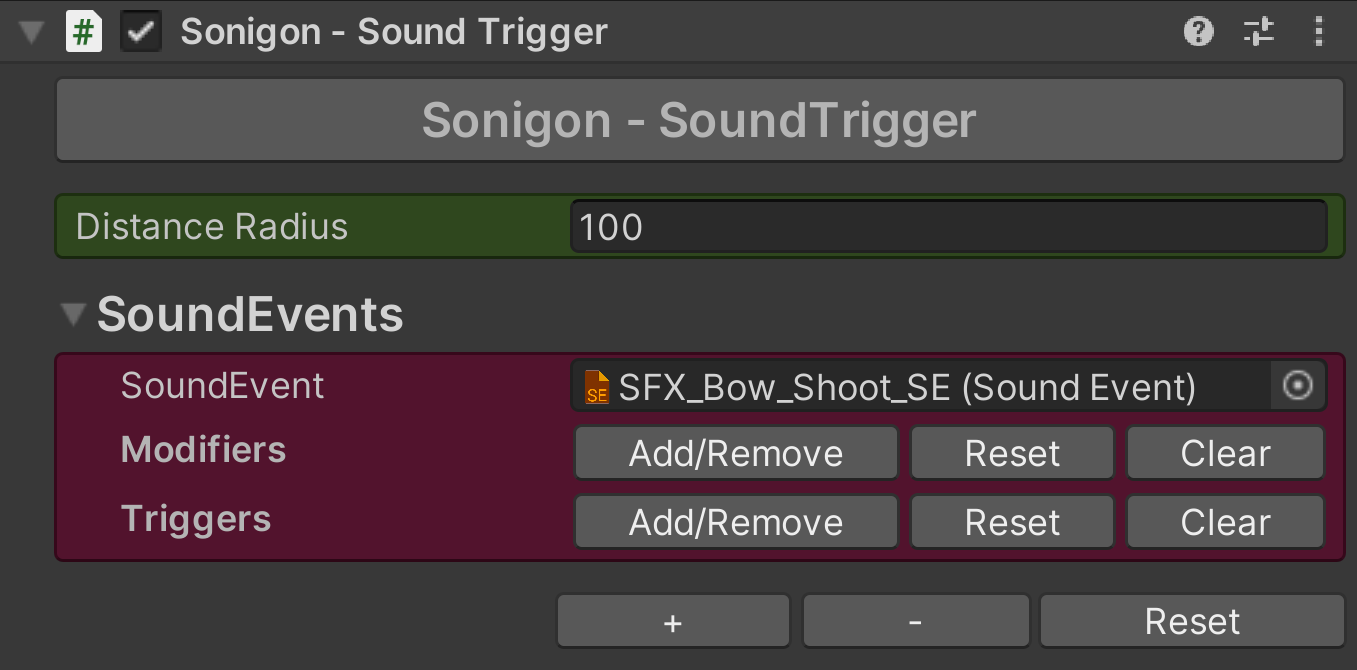
The SoundTrigger component can be used to easily play sounds without code
SoundTrigger is a component used for easily playing/stopping [SoundEvents](/docs/soundevent.md) on callbacks built into Unity like Enable, Disable, OnCollisionEnter etc.\
They contain [SoundEvents](/docs/soundevent.md) with modifiers and triggers which decide when it should play or stop.\
[SoundTriggers](/docs/soundtrigger.md) also have a radius handle, which is visually editable in the scene viewport for easy adjustment of how far [SoundEvents](/docs/soundevent.md) should be heard.\
All [SoundTrigger](/docs/soundtrigger.md) components are multi-object editable.
**Distance Radius**\
Distance of the [SoundEvent](/docs/soundevent.md) (how far it should be heard).
**Modifiers**\
Modifiers are used to control how [SoundEvents](/docs/soundevent.md) are played (e.g. volume, polyphony, fade in length etc).\
See [modifiers](/docs/modifiers.md) for more info.
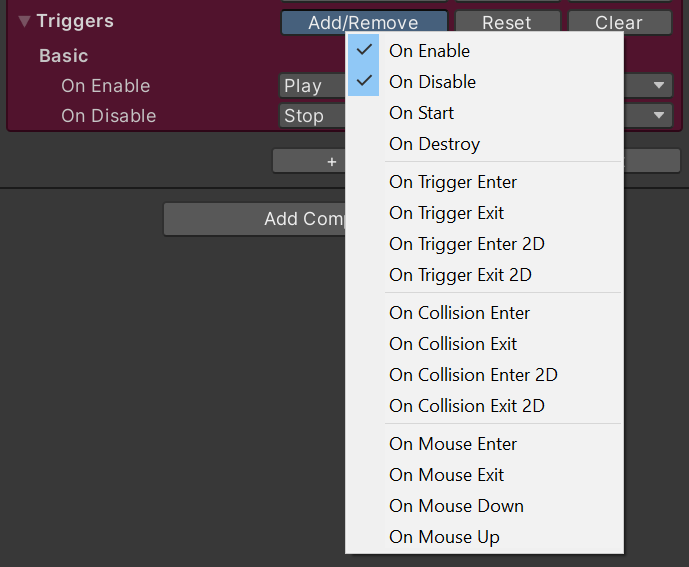
### **Triggers**
Using the triggers you can select when an action happens.
**On Trigger and On Collision - Tag**\
If enabled, the [SoundEvent](/docs/soundevent.md) will only play if the triggering object has a tag matching the selected tags.
**On Collision - Velocity to Intensity**\
If enabled, the velocity magnitude will be passed as an intensity parameter.
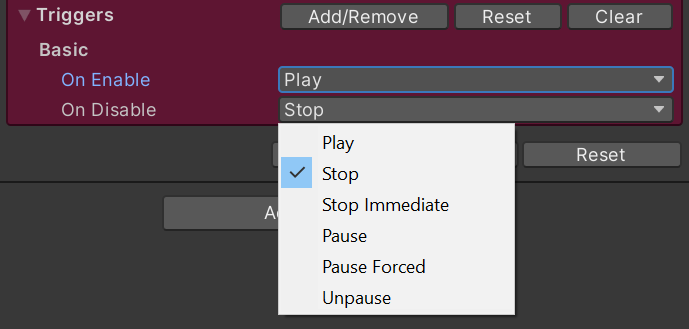
### **Actions**
For each trigger you can select what it should do to the [SoundEvent](/docs/soundevent.md).
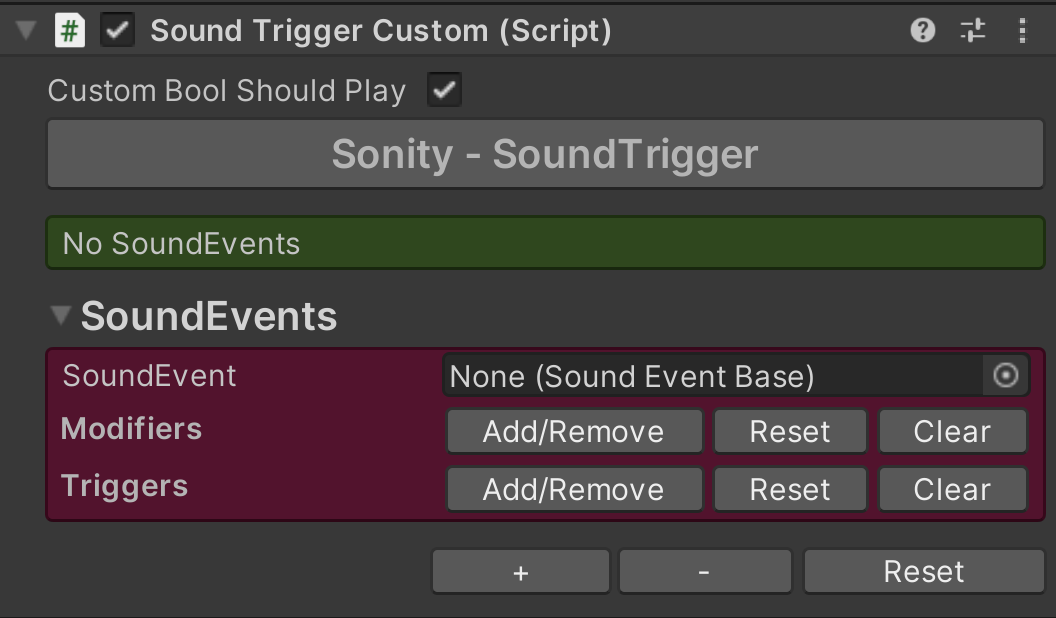
### Custom Override
You can override the functionality and editor of the [SoundTrigger](/docs/soundtrigger.md) and extend it with custom functionality.
Example result:
Create these scripts to get started:
{% code title="SoundTriggerCustom.cs
" %}
```csharp
using Sonity;
public class SoundTriggerCustom : SoundTrigger {
// Add custom code or functionality here
public bool customBoolShouldPlay = true;
// Example override, you can override e.g. OnTriggerEnter etc.
protected override void OnEnable() {
if (customBoolShouldPlay) {
base.OnEnable();
}
}
}
```
{% endcode %}
{% code title="SoundTriggerCustomEditor.cs
" %}
```csharp
using Sonity.Internal;
using UnityEditor;
#if UNITY_EDITOR
[CustomEditor(typeof(SoundTriggerCustom))]
[CanEditMultipleObjects]
public class SoundTriggerCustomEditor : SoundTriggerEditor {
private SoundTriggerCustom soundTriggerCustom;
protected override void OnEnable() {
base.OnEnable();
// Get the target property
soundTriggerCustom = (SoundTriggerCustom)target;
}
public override void OnInspectorGUI() {
// Draw the new property for the custom editor
BeginChange();
SerializedProperty customBoolShouldPlay = serializedObject.FindProperty(nameof(SoundTriggerCustom.customBoolShouldPlay));
EditorGUILayout.PropertyField(customBoolShouldPlay);
EndChange();
// Draw the original GUI
base.OnInspectorGUI();
}
}
#endif
```
{% endcode %}