> For the complete documentation index, see [llms.txt](https://sonity.gitbook.io/docs/llms.txt). Markdown versions of documentation pages are available by appending `.md` to page URLs; this page is available as [Markdown](https://sonity.gitbook.io/docs/soundtag.md).
# SoundTag
SoundTags can be used to trigger other SoundEvents in a SoundEvent
[SoundTag](/docs/soundtag.md) objects are passed to modify how a [SoundEvent](/docs/soundevent.md) should be played.\
You can assign them in the [SoundEvents SoundTag section](/docs/soundevent.md#soundtag).\
You can either pass them when playing a [SoundEvent](/docs/soundevent.md) for setting the local [SoundTag](/docs/soundtag.md).\
Or you can set the global [SoundTag](/docs/soundtag.md) in the [SoundManager](/docs/soundmanager.md).
This is useful for e.g; weapon reverb zones.\
You can set the [SoundTag](/docs/soundtag.md) corresponding to the acoustic space which the listener is in.\
And when you play the [SoundEvent](/docs/soundevent.md), your gun reflection layers can correspond to the acoustic space.
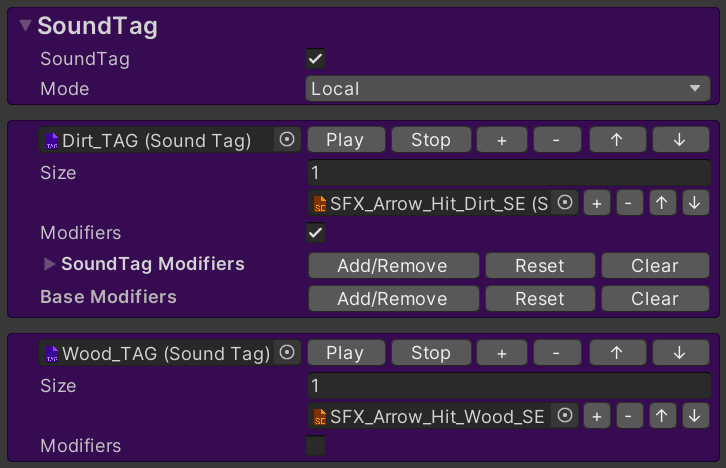
Used in a [SoundEvent](/docs/soundevent.md):
**Notes**\
At the top of the [SoundTag](/docs/soundtag.md) there is a text field which you can fill with notes.
### Sonity GUID
Sonity uses cached GUIDs for object comparison.\
This solves problems where object equality isn't always the same when using e.g. addressables.\
The Sonity AssetPostprocessor automatically saves the GUIDs for objects.\
If you have any missing GUIDs (when upgrading) you can run:\
"Tools/Sonity 🔊/Tools/Reserialize - All Sonity Assets".\
Sonity GUID by [Tobias Johansson](https://www.knackelibang.com/)