> For the complete documentation index, see [llms.txt](https://sonity.gitbook.io/docs/llms.txt). Markdown versions of documentation pages are available by appending `.md` to page URLs; this page is available as [Markdown](https://sonity.gitbook.io/docs/sounddatagroup.md).
# SoundDataGroup
Allows you to group your SoundEvents for loading and unloading of audio data
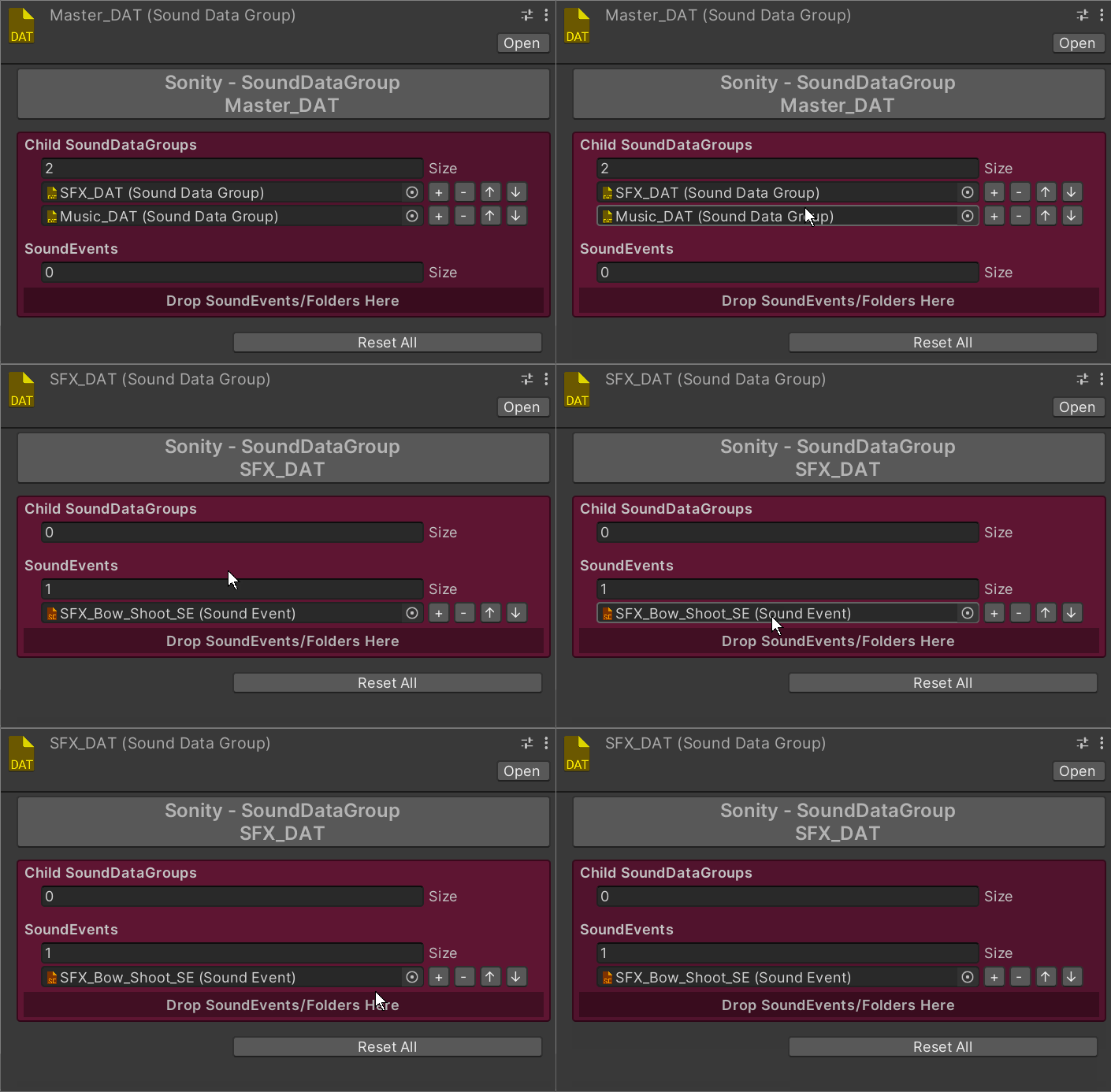
[SoundDataGroup](/docs/sounddatagroup.md) objects are used to easily load and unload the audio data of the [SoundEvents](/docs/soundevent.md).\
All [SoundDataGroup](/docs/sounddatagroup.md) objects are multi-object editable.
**Notes**\
At the top of the [SoundDataGroup](/docs/sounddatagroup.md) there is a text field which you can fill with notes.
**Child SoundDataGroups**\
Nesting [SoundDataGroups](/docs/sounddatagroup.md) makes it easy to load/unload all audio data or just parts of it.
**SoundEvents**\
The [SoundEvent](/docs/soundevent.md) whoms audio data will be loaded or unloaded
**Drop SoundEvents/Folders Here**\
Here you can drag and drop [SoundEvents](/docs/soundevent.md) or folders with [SoundEvents](/docs/soundevent.md) in them.
### Functions Load/Unload
```csharp
// Loads the audio data for the AudioClips of the assigned SoundEvents.
public void LoadAudioData(bool includeChildren);
// Unloads the audio data for the AudioClips of the assigned SoundEvents.
public void UnloadAudioData(bool includeChildren);
```
Parameters
includeChildren
If to load/unload all the audio data of all the child SoundDataGroups also.
### Sonity GUID
Sonity uses cached GUIDs for object comparison.\
This solves problems where object equality isn't always the same when using e.g. addressables.\
The Sonity AssetPostprocessor automatically saves the GUIDs for objects.\
If you have any missing GUIDs (when upgrading) you can run:\
"Tools/Sonity 🔊/Tools/Reserialize - All Sonity Assets".\
Sonity GUID by [Tobias Johansson](https://www.knackelibang.com/)