> For the complete documentation index, see [llms.txt](https://sonity.gitbook.io/docs/llms.txt). Markdown versions of documentation pages are available by appending `.md` to page URLs; this page is available as [Markdown](https://sonity.gitbook.io/docs/soundmanager/editor-tools.md).
# Editor Tools
Editor tools to speed up your workflow
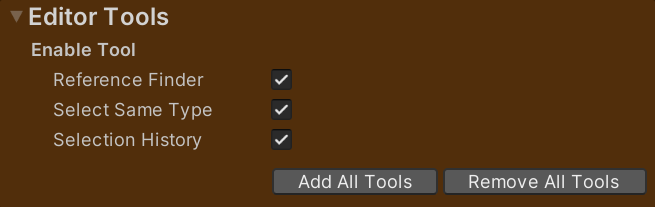
In the [SoundManager](/docs/soundmanager.md) there is a part which is dedicated to Editor Tools.\
This is a collection of nifty editor tools which you can use to speed up your workflow.\
They are enabled with the use of “Script Define Symbols” in:\
Project Settings → Player → Other Settings → Script Compilation → Script Define Symbols.\
This way they can be bound to default hotkeys and they won’t hog up your toolbars if you don’t use them.
### Reference Finder
Reference Finder is an editor tool for finding where an asset is referenced by another asset.\
It is enabled with the use of the Script Define Symbol "SONITY\_ENABLE\_EDITOR\_TOOL\_REFERENCE\_FINDER".\
This is assigned in:\
Project Settings → Player → Other Settings → Script Compilation → Script Define Symbols.
**Find References for Selected Assets**\
Is useful for e.g. figuring out to which (if any) prefabs a SoundEvent is assigned to, or any other kind of asset in Unity.
**Open Reference Finder Window**\
Is useful for figuring out e.g. which AudioClips (or other assets) are completely unreferenced and therefore unused.\
Thanks [Alexey Perov](https://github.com/AlexeyPerov/Unity-Dependencies-Hunter) for making this amazing tool which I've expanded upon!
#### Versions
**Sonity Version 1.5** (By Victor Engström)\
Added clear project search windows text bar on select assets
**Sonity Version 1.4** (By Victor Engström)\
Improved UI
**Sonity Version 1.3** (By Jesper Söderlind)\
Added caching
**Sonity Version 1.2** (By Victor Engström)\
Added support for Live editing\
Added buttons for selecting all and hiding empty\
Sorted selected object and references names\
Made so buttons you've clicked becomes greyed out\
Added copy references list to clipboard\
More compact viewing with less whitespace\
Added folder paths info
**Sonity Version 1.1** (By Victor Engström)\
Added CancelableProgressBar\
Fixed menu links & "New code"\
Added "Select all Unused Assets" button\
Commented out Debug "Total Assets Count"\
Rounded search time to seconds with one decimal\
Added label for find all references window\
Fixed debugs
**Sonity Version 1.0** (By Alexey Perov)\
Original version by [Alexey Perov](https://github.com/AlexeyPerov/Unity-Dependencies-Hunter)
**Toolbar Actions**\ Tools/Sonity Tools 🛠/Reference Finder 🔍/Open Reference Finder Window\ Tools/Sonity Tools 🛠/Reference Finder 🔍/Find References for Selected Assets\ Assets/Sonity Tools 🛠/Reference Finder 🔍/Open Reference Finder Window\ Assets/Sonity Tools 🛠/Reference Finder 🔍/Find References for Selected Assets
**Default Shortcuts**\
Ctrl+Shift+Alt+F - Reference Finder 🔍/Find References for Selected Assets
Reference Finder is made by Alexey Perov and licensed under a free to use and distribute MIT license.\
[Link to Github page](https://github.com/AlexeyPerov/Unity-Dependencies-Hunter)
### Select Same Type
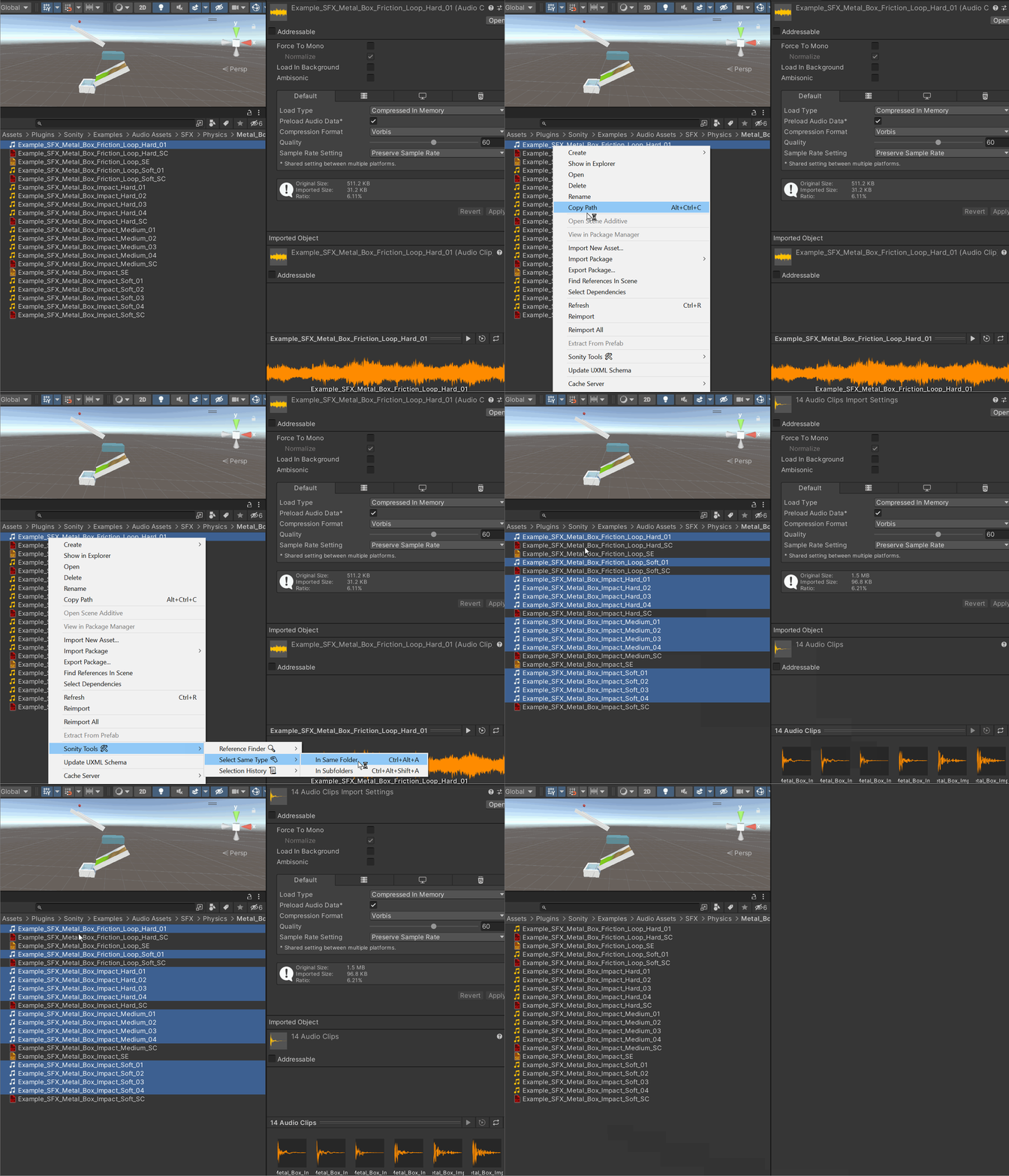
Select Same Type is an editor tool for quickly selecting all assets of the same type in a folder which enables you to quickly edit a lot of assets.\
It is enabled with the use of the Script Define Symbol "SONITY\_ENABLE\_EDITOR\_TOOL\_SELECT\_SAME\_TYPE".\
This is assigned in:\
Project Settings → Player → Other Settings → Script Compilation → Script Define Symbols.
**Toolbar Actions**\ Tools/Sonity Tools 🛠/Select Same Type 🤏/In Same Folder\ Tools/Sonity Tools 🛠/Select Same Type 🤏/In Subfolders\ Assets/Sonity Tools 🛠/Select Same Type 🤏/In Same Folder\ Assets/Sonity Tools 🛠/Select Same Type 🤏/In Subfolders
**Default Shortcuts**\
Ctrl+Alt+A - Select Same Type 🤏/In Same Folder\
Ctrl+Alt+Shift+A - Select Same Type 🤏/In Subfolders
### Selection History
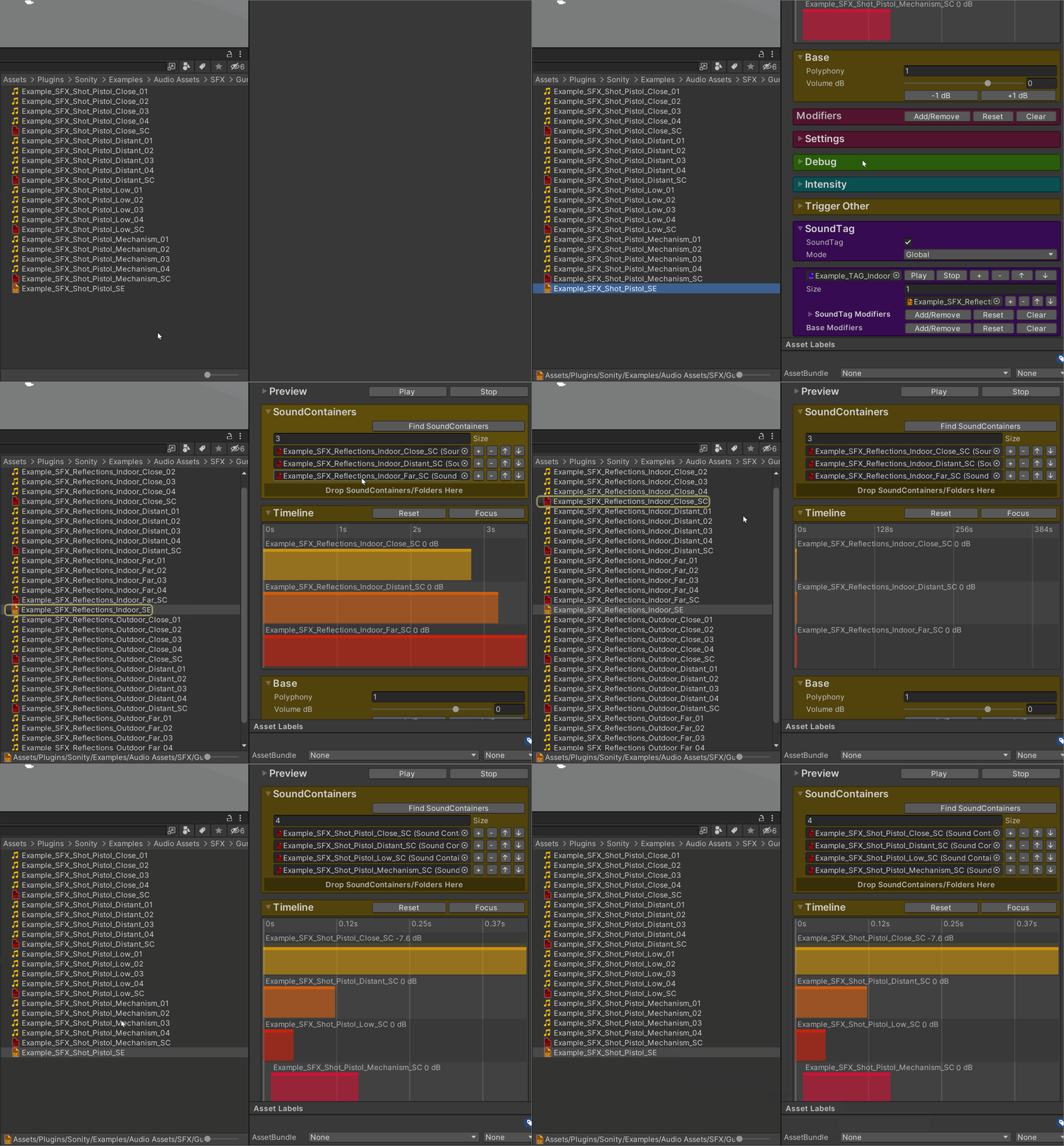
Selection History is an editor tool for quickly undoing and redoing selections. \
This enables you to quickly move between objects you’ve previously selected. \
It is enabled with the use of the Script Define Symbol "SONITY\_ENABLE\_EDITOR\_TOOL\_SELECTION\_HISTORY". \
This is assigned in:\
Project Settings → Player → Other Settings → Script Compilation → Script Define Symbols.
**Toolbar Actions**\ Tools/Sonity Tools 🛠/Selection History 📜/Back\ Tools/Sonity Tools 🛠/Selection History 📜/Forward\ Assets/Sonity Tools 🛠/Selection History 📜/Back\ Assets/Sonity Tools 🛠/Selection History 📜/Forward
**Default Shortcuts**\
U - Selection History 📜/Back\
Shift+U - Selection History 📜/Forward
Selection History is made by Matthew Miner and licensed under a free to use and distribute MIT license.\
[Link to Github page](https://github.com/mminer/selection-history-navigator)